Diagram Templates
While every control system is unique, there are several common architectures that many systems will either share or be minor variations of.
To simplify construction of these diagrams, Lynx provides pre-built “template” systems that you can instantiate and edit. In many cases, you may only need to edit the block parameters, block/signal labels, LaTeX content to make the diagram consistent with your own system.
For an example using templates to quickly construct a system, see Cruise Control Example.
Available templates
Open-loop (transfer function plant) ("open_loop_tf")


Open-loop (state-space plant) ("open_loop_ss")


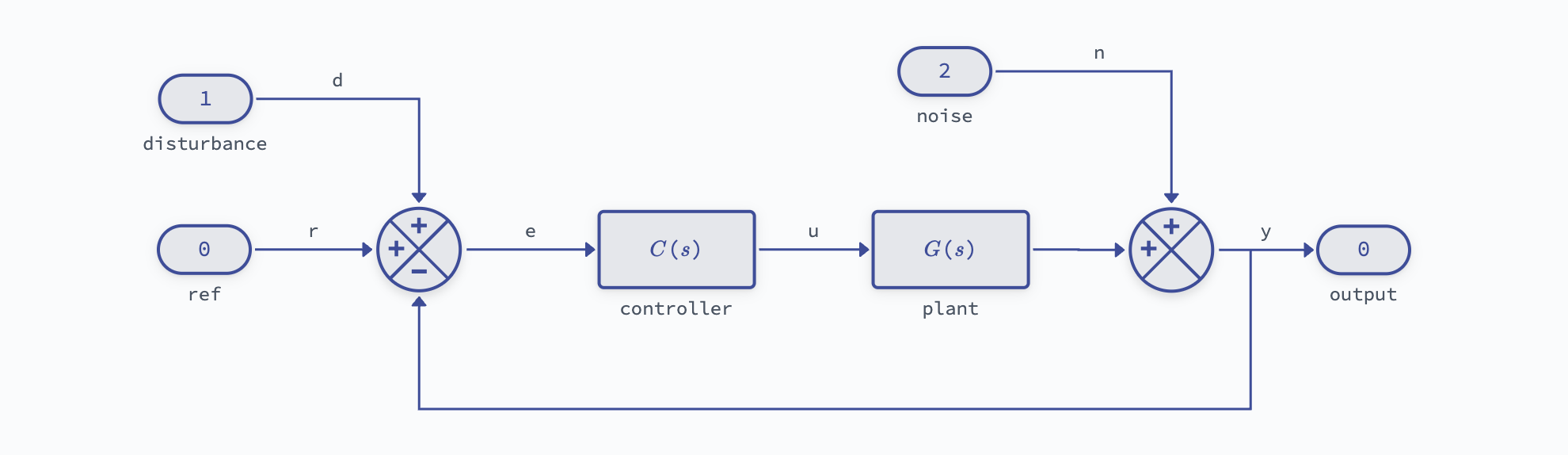
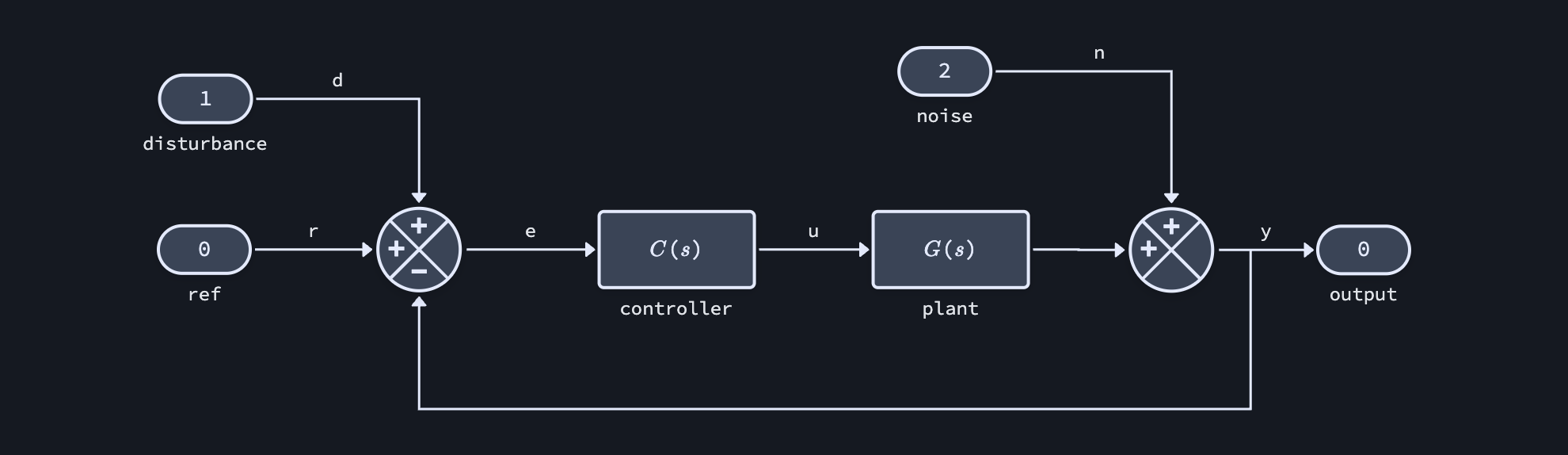
Feedback (transfer function plant) ("feedback_tf")
Feedback (state space plant) ("feedback_ss")
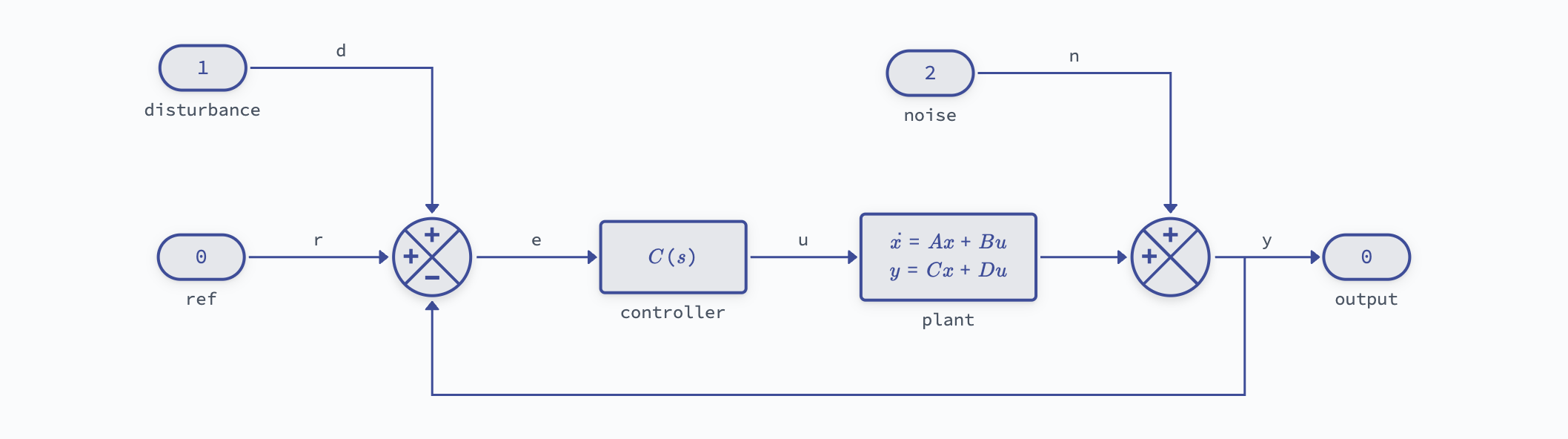
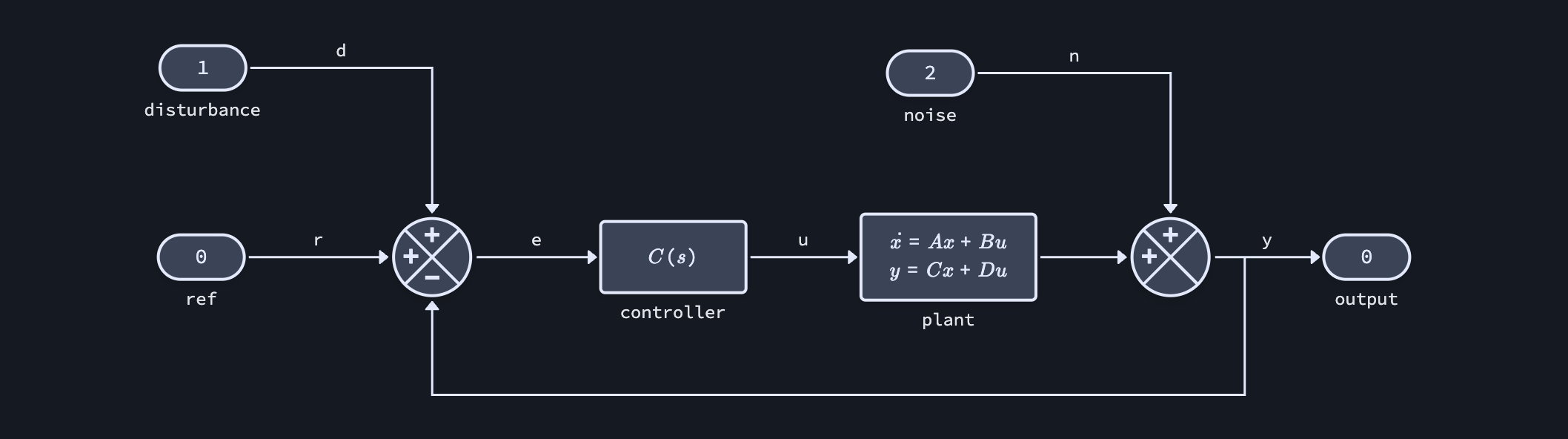
Feedforward (transfer function plant) ("feedforward_tf")


Feedforward (state space plant) ("feedforward_ss")


Feedback + filtering ("filtered")
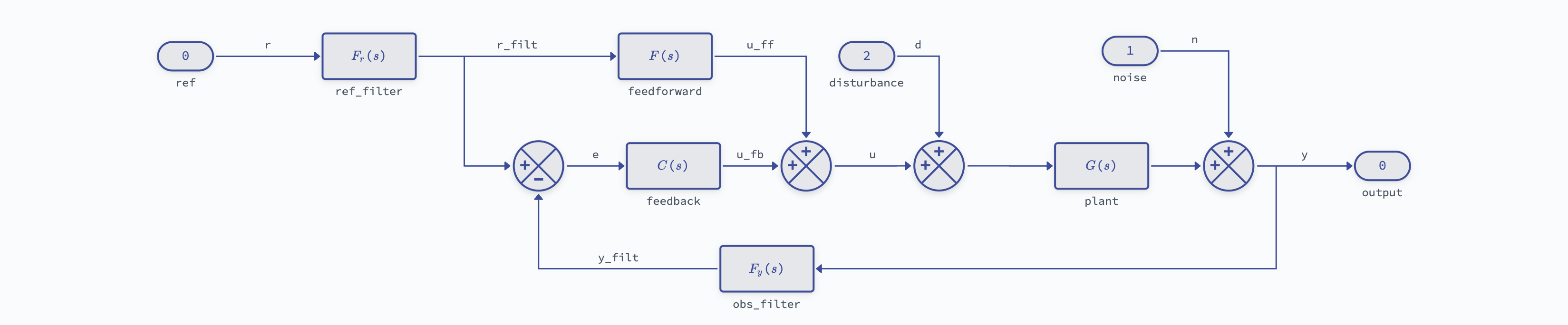
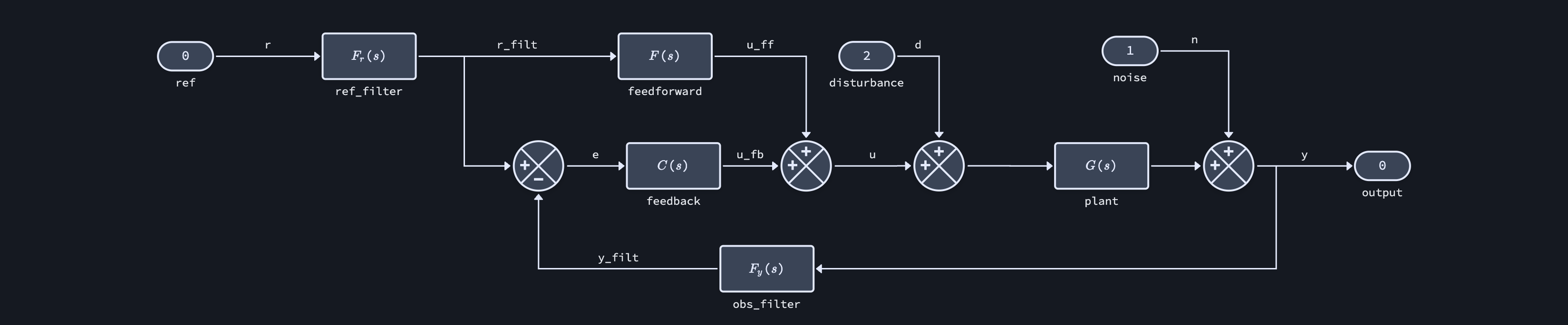
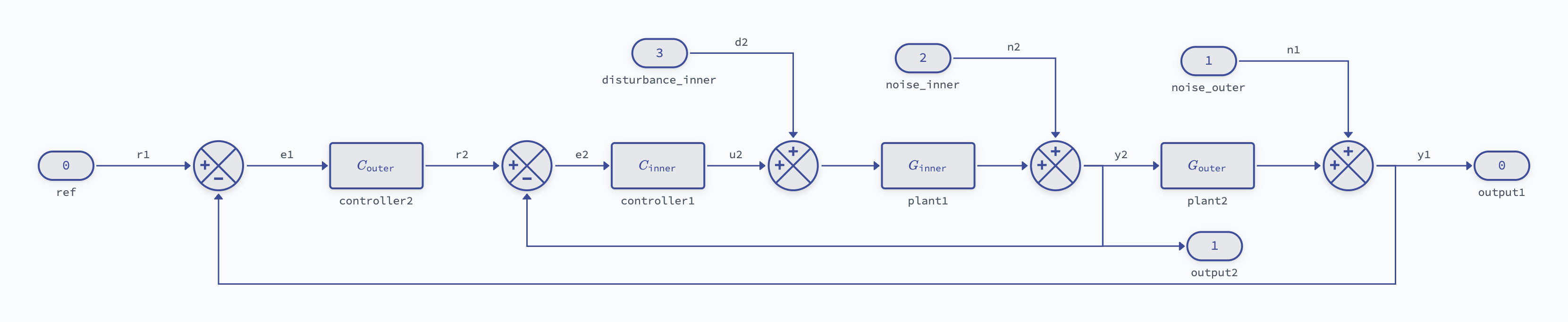
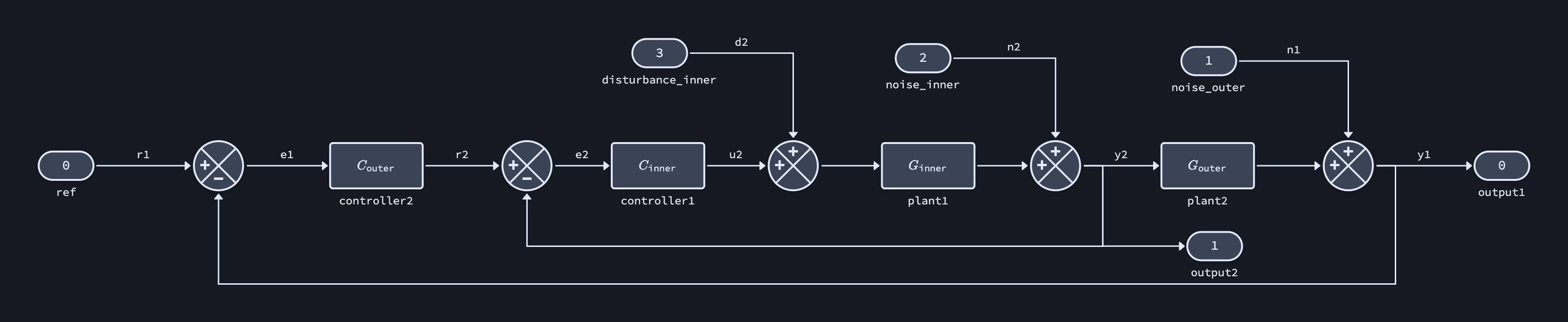
Cascaded control ("cascaded")